
24 November 2025
What are you grateful for? 🌸
In the last year or two I’ve been struggling (again) and trying to find ways to take better care of myself. Some of this has been through trying out new hobbies, new tools, changing up my lifestyle and even reducing my phone addiction. I picked up meditation which has been really helpful, but I also wanted to explore writing a journal again. Now - I’ve written journals before and I tend to do it quite intensely for a while and then stop. I have lots of incomplete journals that definitely served their purpose at the time, but I wanted something more ‘baby step’. So as I knew I wouldn’t be able to keep up something too intense, but I got into these gratitude journal apps. The way they work is you add one short entry a day of what you are grateful for. You can start or end the day like this. I found it really nice to have a daily ritual of adding something each day to a little phone app and reflecting on the things, however small, I could be grateful for. Sometimes I struggle to remember if there is anything at all - but being forced to remember small things like “the smell of rain” or big things like “love and support from friends” has been a great way to reframe a lacklustre day.
What I was NOT grateful for was the cost of the little phone app.
For the freedom of customisation and editing and all sorts of other features, my free trial was over and they were looking to charge something like £70 annually, and another one I looked at was over £150. Side note - what happened to the days of purchasing software and now instead I have to subscribe to it?! This was not something I could justify, but the free version felt a bit too restrictive.
You can see where this is going…
So I thought to myself, hey it really is just a database with a front end. I can make that, easy. Right?
Well it turns out easier said than done if you’re a bit over ambitious. BUT this blog details the process of building my own journal app, and the lessons learned along the way!
Original
Once I decided to build my own app, I started sketching out what it might look like. I first started this project back in April 2025, with the anticipation this would be a much shorter project than my Ultimate Flaggle project. It was around this time I began taking lots of steps to improve my health, such as the slim-socials project (see Slim Socials) and also my weight loss journey. However, this definitely became a massive time sink very quickly.
My original concept was that I wanted it to look and feel like an actual notebook. I wanted each entry to have a page and then not just be the journal entry but have lots of different pieces of information about the day integrated on the page, such as steps and weather.
I put together the following specification
- Password protected
- Three gratitude questions that could be increased/decreased depending on what I wanted as time wore on
- The ability to upload a picture to the entry (optional)
- The entry to capture my total steps for the day, weather, most listening to song / genre and analyse the mood of my entry.
- Have a home page with various graphs and analysis of my entries
- Have the journal send a message to my slim-socials if I hadn’t filled it in for the day
- Have no more than one entry for a day
- Look like a book and be able to flip through “pages” for each entry, so it feels like a real journal
I always like to look at examples in the front end, so I was inspired heavily (including adapting the code) by the existing front end book design by codingstar-jason
I ended up working on this project for several months and eventually managed to put together a first draft of this app.

Gif of original first draft of journal
I made it so as the pages turned, the book would centre the entry in the middle of the screen so it would be easily compatible with mobile. I spent a long time perfecting the CSS to make the cover and pages look like a book, and try to render them in the best way to make the entry pages feel organic. When adding entries, the interface was simple and flexible.
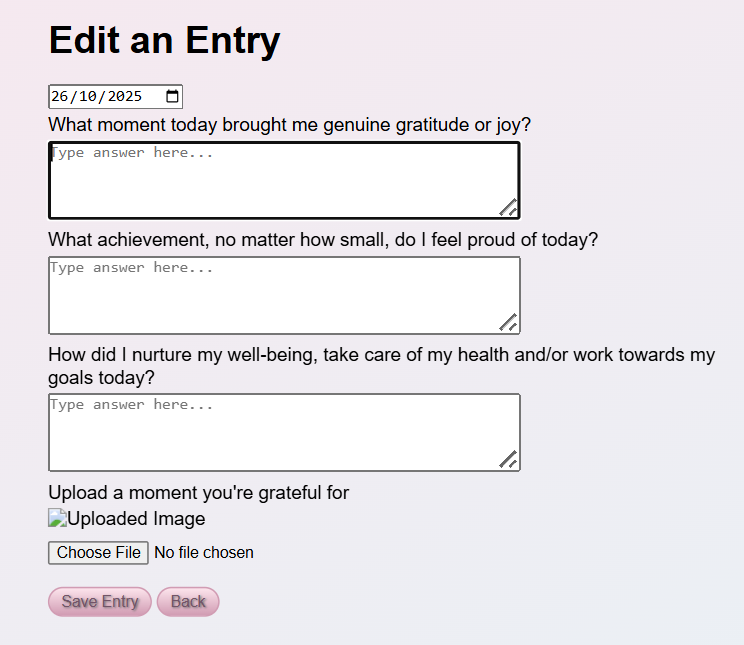
Screenshot of Edit Entry Page
However there was one little problem…
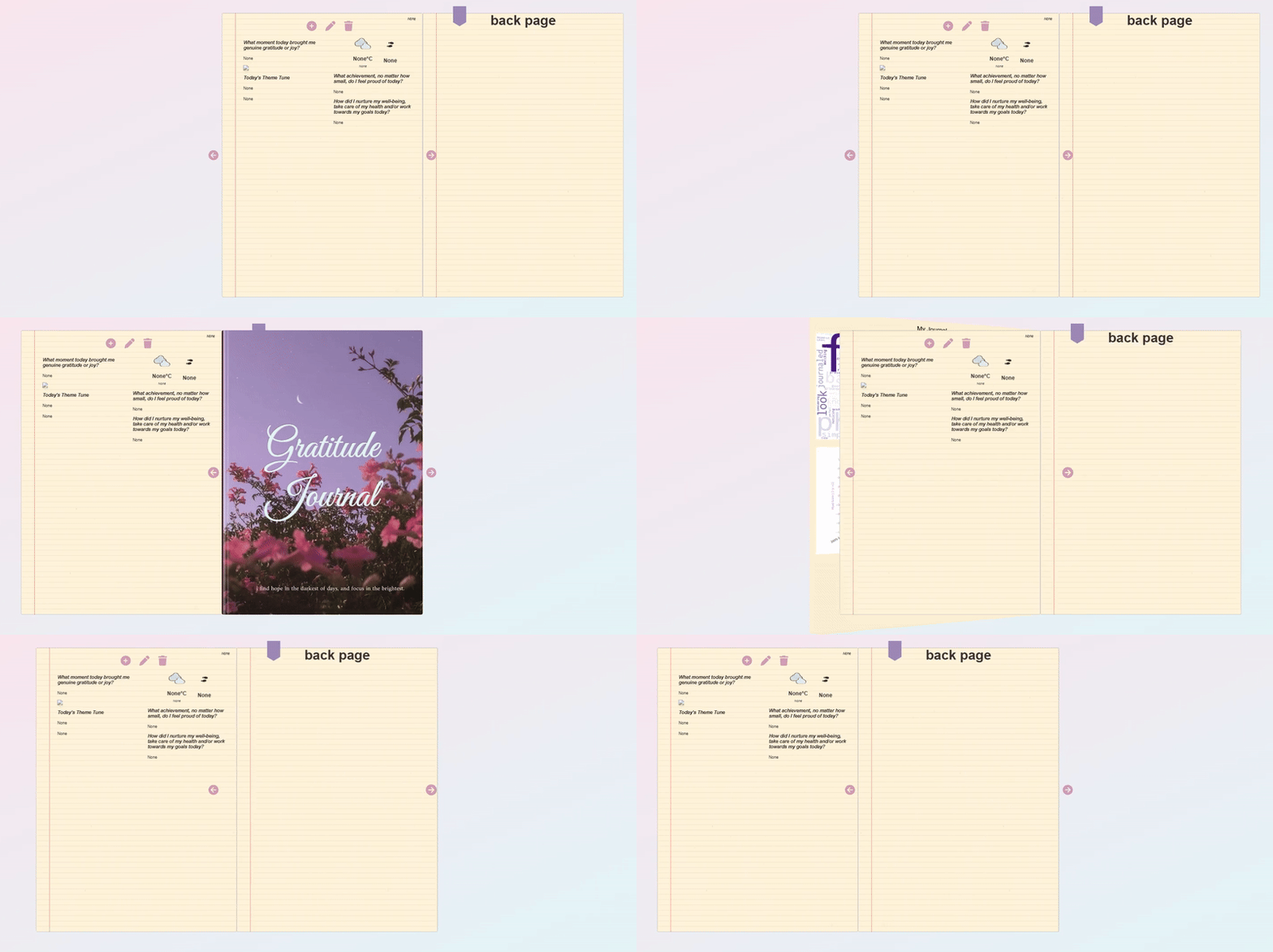
Gif of broken page turn
Yeah I could flip through the book left to right, but when trying to go back it broke.
The only way I could do the book page turning was to finally try to properly learn JavaScript outside of small copy and pasting of snippets where I’ve needed it in the past. In the end, I tried many many many variations of the JavaScript page turning logic, to try to get the pages to dynamically stack on top of each other and then dynamically figure out which one to be looking at and hide / display depending. It was a lot more complicated than I expected. Most examples online used a fixed number of pages to display, rather than dynamically producing them based on the number of entries in the database. Any time I thought I had it, I broke something else. So I figured I would come back to it last.
I pushed on with other areas but that was getting complicated too. The Spotify API integration wasn’t giving me what I had envisioned. If I requested the most played song and the genre it could only give me the genres for the artist of the most played songs which meant I didn’t have the genre of the song itself. Difficult if artists work in multiple genres. When I wanted to change anything it seemed to break another five things. Not to mention trying to upload everything to be live and accessible via the internet.
I was close for a really long time, but this was not the type of puzzle and challenge I enjoyed. I felt like I wasn’t making progress. Each time I loaded up the code I started to hate it even more. I just wanted to be able to use it. I’d gone months without making a journal, thinking it would be finished soon. I would open it, mess with the code, it not work and still have tons of things I needed to sort / add to it. In short, I was tired, annoyed and wasn’t sure I wanted to use it anyway.
So I made a very big decision…
Starting Again
Back to the drawing board. For starters, I’m not a front end coder at heart, I don’t really enjoy it. I can also design to a reasonable extent, but making things beautiful takes a long time for me to craft. But I had heard of Python packages for building apps more easily and I quickly came across Streamlit. The splash on their website reads “Turn your data scripts into shareable web apps in minutes. All in pure Python. No front‑end experience required.”
Yep that sounds like something a bit more interesting.
Now there were a few limitations I needed to adapt to. Previously I had just used an inbuilt SQLite database for my apps as it was all I needed. But really, this is not the best or safest way to store a database with a live app. Streamlit doesn’t even allow you to persist changes to files within your GitHub repository.
So with a little more research, I had to migrate my database design to Supabase, which was surprisingly easy (I spent more time trying to figure if there was a way I could avoid it rather than actually doing it). My biggest reluctance was needing to change all the SQL and functions I had already designed, but in the end it wasn’t too bad. Which, speaking of, I massively simplified the database design. It didn’t need to be as fancy as I was trying to make it. Sometimes when you’re a data nerd you go a bit overkill with these things. Simple is better. Now the app is being used by me every day, it’s also been quite easy to login and make any tweaks where I need to. At one point I even did this on my phone which is a wild concept to me! One thing I did not like about Supabase though is that it didn’t allow PascalCase names it had to be lowercase. But hey, no one is perfect.
Hosting the database on the cloud meant it was far easier for me to set up an API endpoint to store my steps in the database. I managed to use the Health App and Shortcuts on my phone to take my steps data every day close to midnight and store it in my database. There have been some glitches with this but being able to automate it has been super cool. If you want to see exactly how I did this, I have the full instructions in the README.md file.
Finally, I dropped parts of my specification. Spotify was a goodbye and I was going to go for a much simpler front end, taken care of by Streamlit. I changed it so it would only be able to have one entry per day, and I made the entry one prompt instead of multiple questions.
And voila! Within 2 weeks, I had migrated all of my existing back end code to the right formats and built a simple clean front end. Check it out!
This shows the password, home page with word cloud, adding a new entry to my journal and viewing the entry on the timeline.
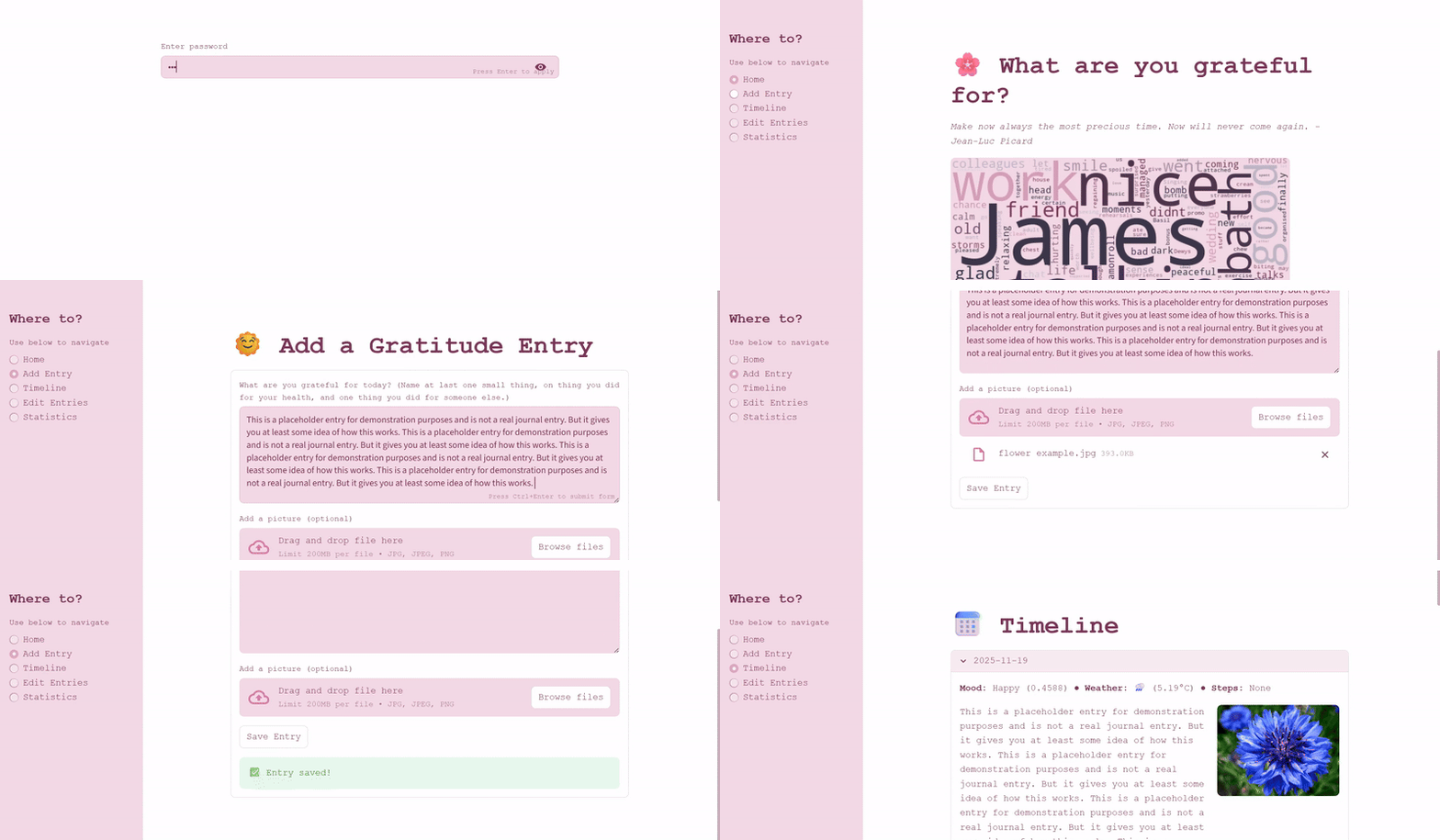
Gif of adding new entry to journal
Editing entries was also easy to set up and intuitive to use.
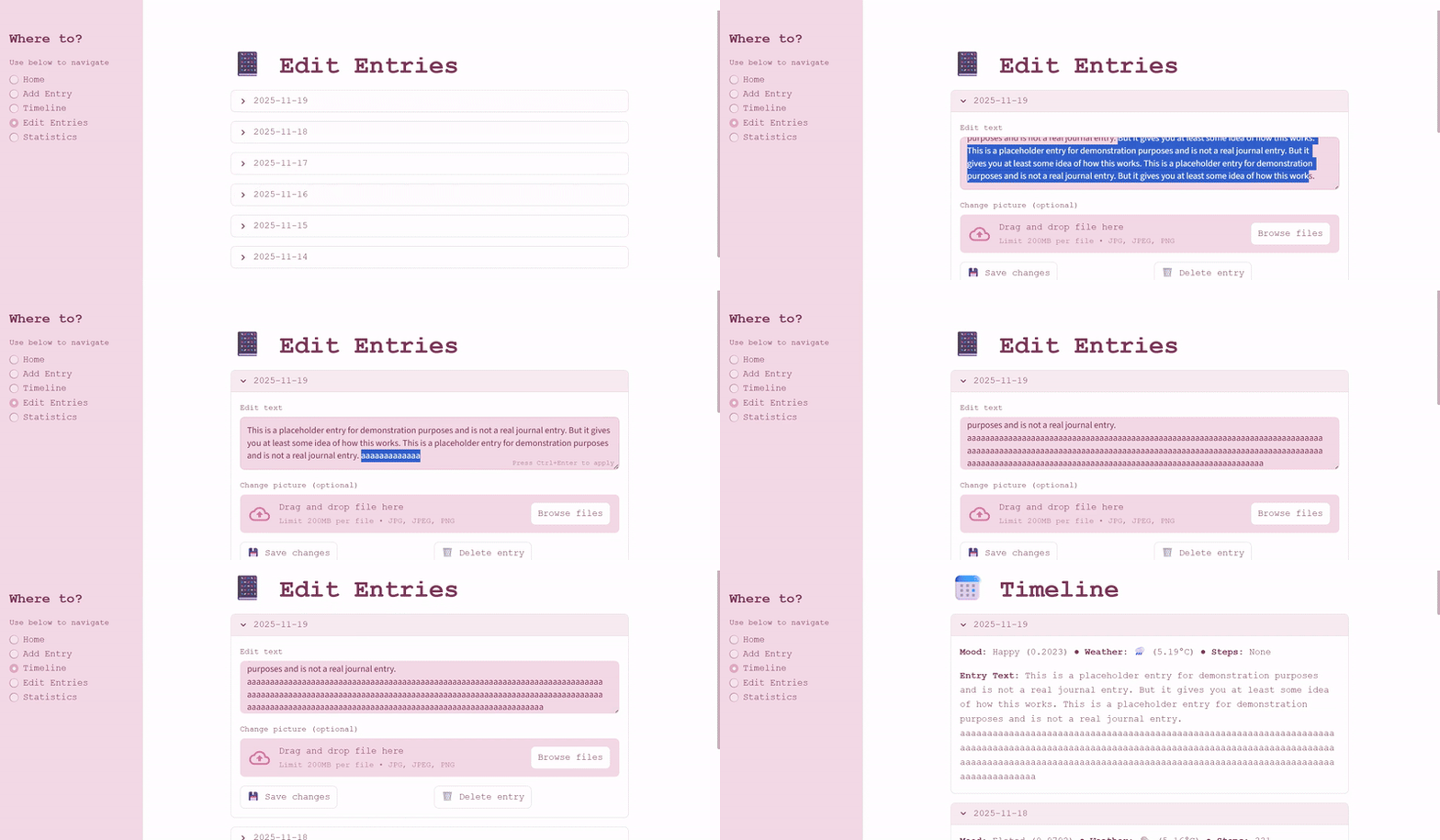
Gif of editing an entry in the journal
Finally I incorporated some statistical graphs to a final page.
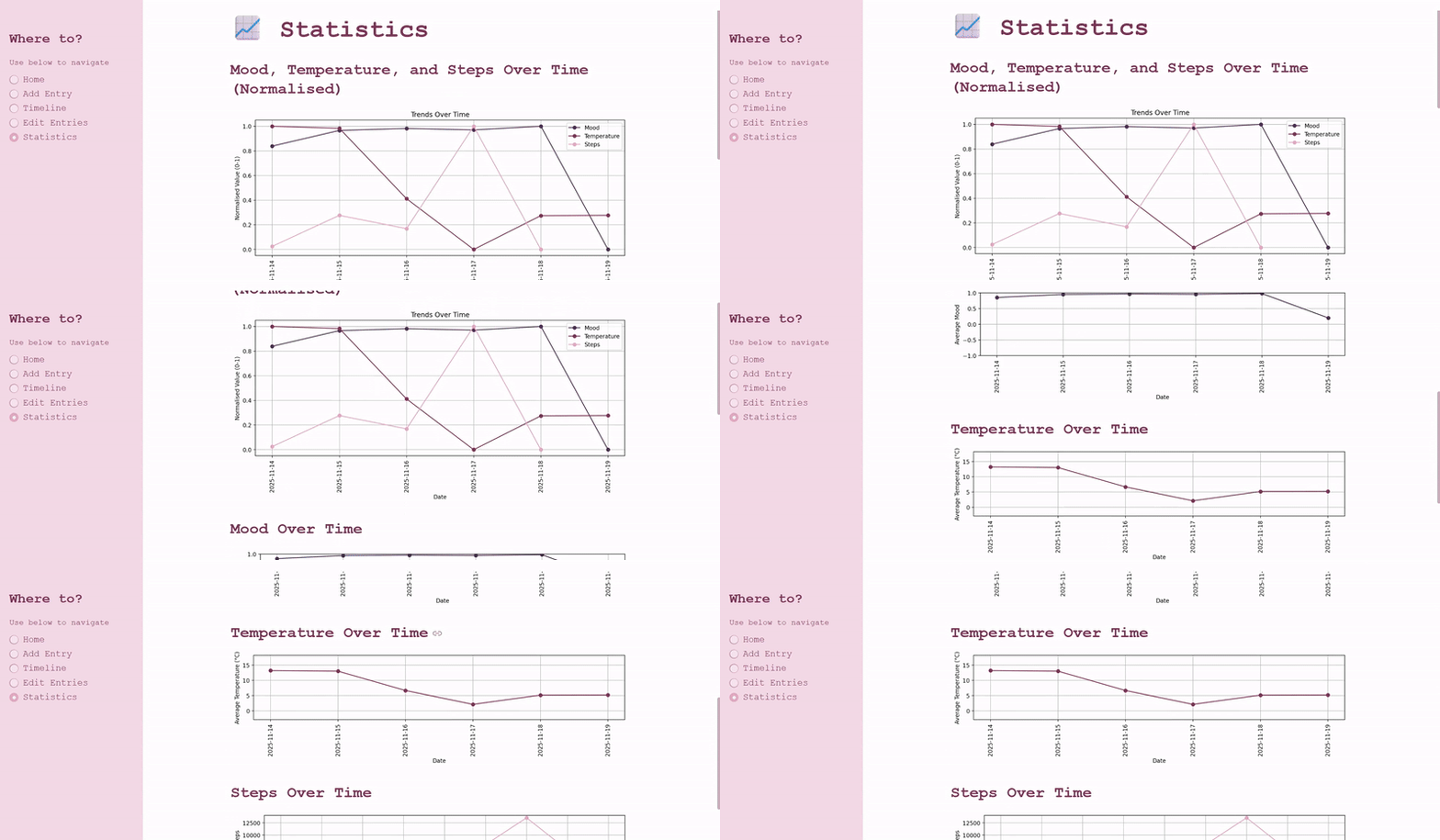
Gif of statistics dashboard
The app has been up and running for a few days. I’ve put in an entry every day and I can already feel some of the benefits I got before coming back. Each entry says to add one thing I am grateful for, one thing I did today for myself and one thing I did for someone else. I then try to take a silly or heartwarming picture to add each day which I can look back on. The app runs smooth, I love it, and I’m really pleased with how it came out. In the end I was able to host it entirely free and access it from any device.
Outstanding Issues
In future I would love to add more statistics and graphs, perhaps different “daily metadata” that can either be automated from my phone or other APIs. I also have other ideas for features that can be added in later, while I am still able to use my journal now.
For the app itself, it runs really well. The only adjustments I want to make are to count early morning entries as an entry for yesterday or at least be able to put in for yesterday (so I don’t have to keep chasing midnight to get my daily entry in!). The sentiment and mood analysis for the entries as well is likely not the best approach as it just says I’m elated and very positive every day, which makes sense for a gratitude journal but means I’m not sure I will get any meaningful information from it.
All in all though, what is great is I can use it every day comfortably and the data is being stored while I still continue to think about the front end and features.
Reflections
With this project, I started out with a similar mindset to Flaggle, that I must create the “ultimate” thing. But really what I needed was simple - and it made more sense to start small and build it up over time. This has been a theme for my entire wellbeing journey. I have always been someone that tries to change everything at once, fails and gives up. But I’m learning more and more than it’s being able to change anything at all, no matter how small is really what benefits us. Could I have completed the first version of the app? Yes. Would I have hated doing it? Yes. Then what was the point? Realising what would be better for me within the journey is what is important.
Just like with gratitude journaling, starting small and showing up every day is the key to long term sustainable change.
Conclusion
The repository for my project is public and available on my GitHub, with full instructions on how you can create one for yourself. Anyone is free to use and adapt the code. The app was designed only for me, rather than as a “sign up, create an account” type app, but you can clone the code and make one for yourself only for you. There are a few steps to getting it all set up and sorted, but if you are new to coding could be a fun customisation project.
If you do make your own do be sure to tag me in your repository so I can see!